AU host for Mac: the easiest way to run virtual instruments without a DAW
Using virtual instruments on a Mac usually means opening a full DAW, loading a project, arming tracks, routing MIDI and audio, and only then finally playing. It works, but it’s slow, heavy and often unnecessary when all you want is to sit at the keyboard and play — or walk on stage with a clean, reliable setup.
An AU host for Mac exists precisely to remove this friction. Instead of behaving like a full recording environment, it focuses on one job: loading your Audio Unit plugins, connecting your MIDI devices and giving you immediate access to your sounds. No timeline, no clutter, no session management. Just play.
This article explores what an AU host actually does, when it makes more sense than a DAW, how PluginONE fits into this ecosystem, and which free and paid options are worth considering if you’re building a performance-focused or practice-friendly environment on macOS.
What an AU host is (and why it matters)
On macOS, AU (Audio Unit) is the native plugin format. Your DAW is already a host: it loads instruments and effects, connects them to your MIDI devices and routes audio to your interface. But a DAW comes with everything else too — tracks, timelines, automation, editing tools — which is great for production, not always for simply playing.
An AU host strips the whole thing down to the essentials: load one or more AU instruments and effects, route MIDI from your controller, route audio to your interface or mixer, and start playing. The advantage is immediacy: the host opens fast, your sounds are there, and you don’t have to manage a full project just to hear one instrument.
This becomes especially useful in situations like live performance, where you want stability and quick sound changes; daily practice, where your favourite piano or synth should be two clicks away; auditioning new plugins in a neutral, clean environment; or building a dedicated “instrument rig” where your Mac behaves like a stage keyboard.
When an AU host is better than a DAW
A DAW is still the central place for writing, arranging and mixing. But there are many occasions where it simply adds weight. An AU host makes more sense when you:
need a compact live rig, with quick sound switching and minimal risk
want a simple practice setup without waiting for big templates to load
test new instruments regularly and don’t want to touch your main projects
work on a laptop with limited resources and want a leaner signal chain
use external controllers (pads, E-drums, wind controllers) and care about latency and stability more than editing tools
In this workflow, the DAW becomes your “studio”, while the AU host becomes your “instrument”: the thing you open when you just want to play.
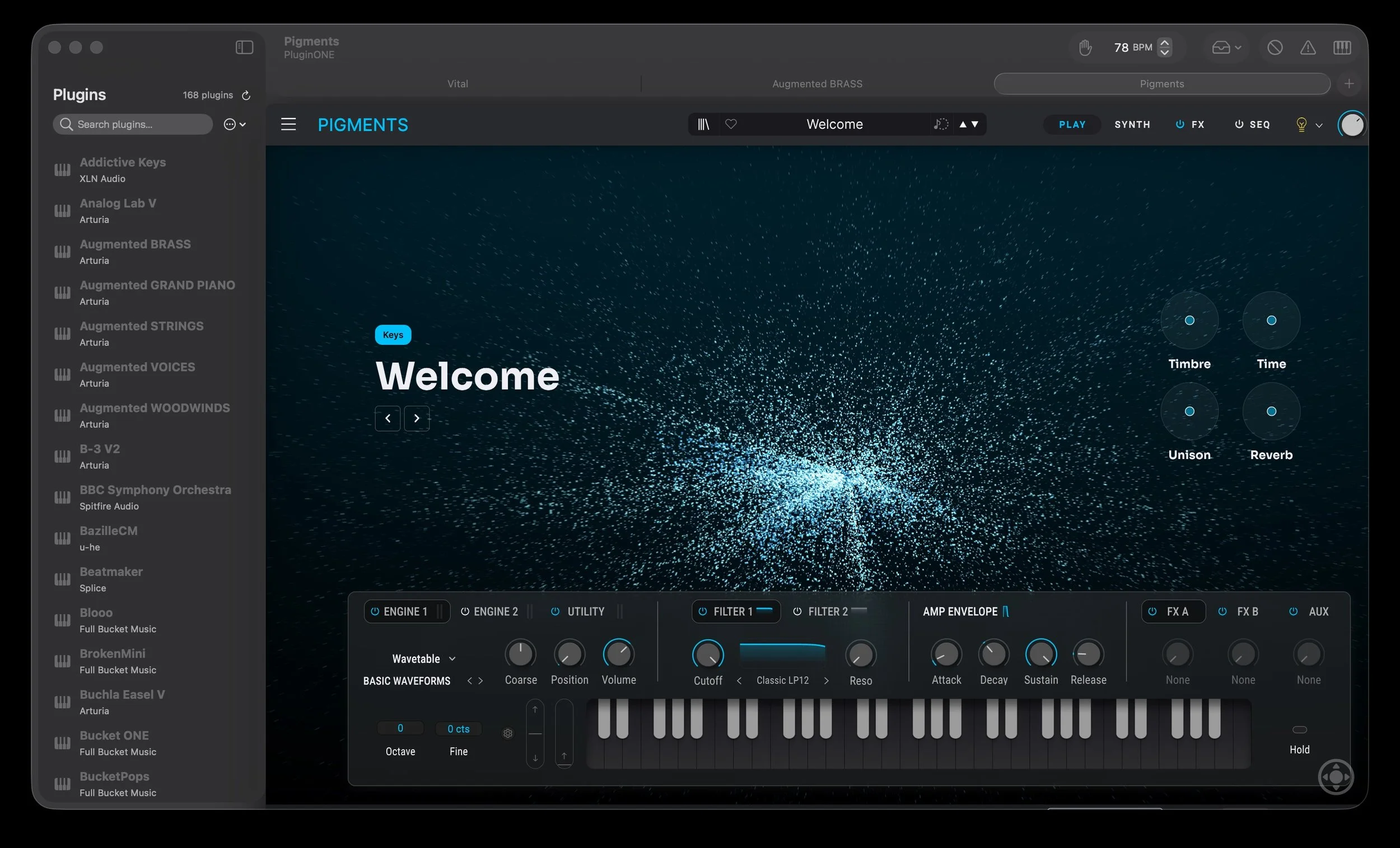
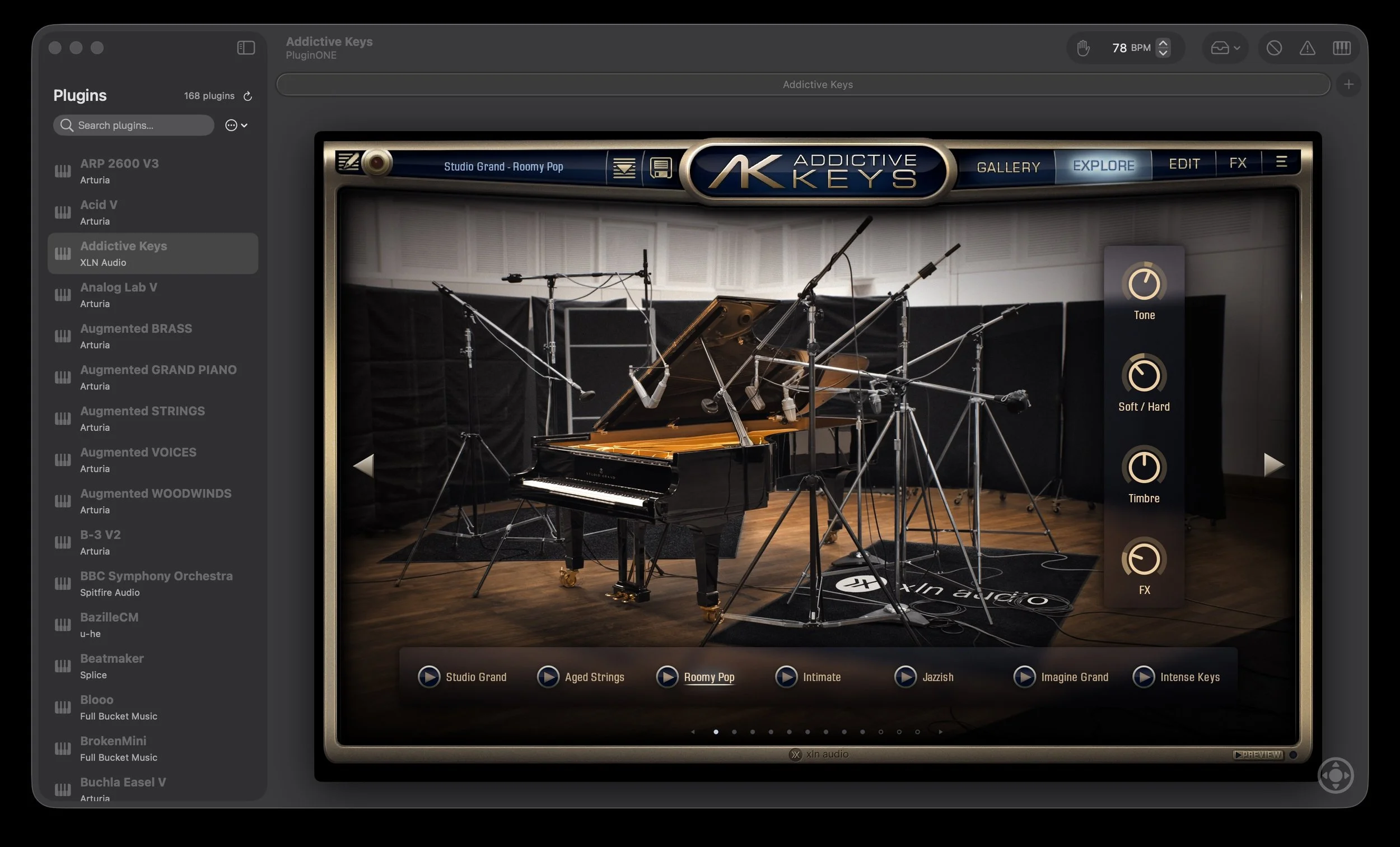
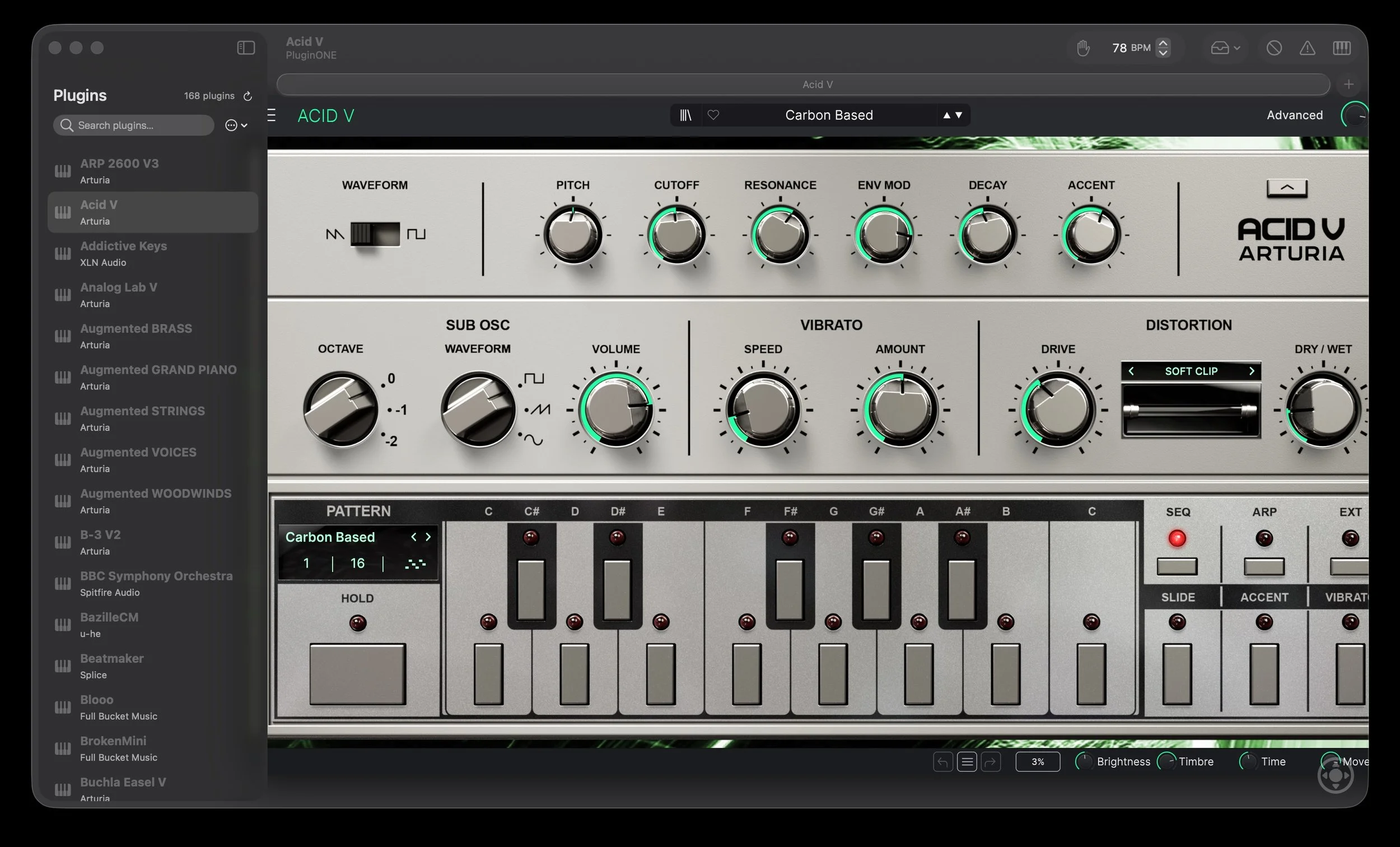
PluginONE: from simple AU host to performance-ready environment
The Hold function adds a performative and compositional dimension. Each tab includes a latch-style hold that allows you to sustain notes, basslines, sequences, loops or ambient layers without physically holding keys down. You can trigger a rhythmic pattern, let a pad evolve into a cinematic texture, sustain a background sound effect for a podcast scene, or build a groove that becomes the starting point of something larger.
This dual nature is what defines PluginONE.
In the studio, it is just a simple AU host for testing and playing. In creative sessions, it becomes a sketchpad for ideas. On stage, it turns into a lightweight but tempo-aware performance base — without the overhead of a full DAW or the complexity of a large live controller environment.
Within the Infinity Audio ecosystem, ONE Instrument® organizes and centralizes your sound universe; PluginONE turns it into something immediately playable and, when required, musically synchronized.
For creators who move constantly between composing, experimenting, rehearsing and performing, this flexibility makes the difference: the DAW remains the production studio, while PluginONE becomes the instrument you open when inspiration strikes — whether that’s for a soundtrack cue, a podcast soundscape, a groove… or, why not, your next hit.
https://www.infinity.audio/pluginone
Free AU hosts for Mac
Kushview Element (Community Edition)
A modular plugin host that supports AU, VST and VST3. It uses a node-based interface where you connect instruments and effects as blocks, making it great for experimenting with routing or building small, custom setups. The Community Edition is free and works well as a testing ground or a simple practice environment.
https://kushview.net/element
Hosting AU – JU-X
A tiny, ultra-light AU host for macOS. It focuses on doing one job with minimum friction: load AU instruments and effects, offer a simple mixer, give you basic recording and a clean interface that opens quickly. It’s useful for minimal setups, beginners who just need to hear a plugin, or developers testing instruments.
https://ju-x.com/hostingau.html
vPlayer 4 Lite – Digital Brain Instruments
A lightweight standalone host designed for live play and quick testing. The Lite version is free and lets you load a single AU or VST plugin, turning any compatible instrument into a simple standalone app. It’s handy for checking how a plugin behaves under live-style conditions or for building a tiny practice rig.
https://www.digitalbrain-instruments.com/freebies
Paid AU hosts for Mac
Sessions
Sessions is a lightweight AU host for macOS designed to load and organize Audio Unit instruments without launching a full DAW. It focuses on simplicity and live-oriented setups, allowing users to create and recall instrument configurations quickly. While it doesn’t provide advanced routing or production features, it offers a clean and straightforward environment for running AU plugins in a minimal workflow.
https://www.openplanetsoftware.com/sessions/
Apple MainStage
Apple’s own live performance host, tightly integrated with Logic Pro. It hosts AU instruments and effects, offers a “concert” structure for songs and patches, lets you build custom screen layouts and is widely used by keyboard players on stage. One of its strengths is the combination of deep functionality and relatively low cost.
https://www.apple.com/mainstage/
vPlayer 4 – Full Version
The full version of vPlayer 4 takes the Lite concept further: multiple instruments at once, multitrack recording, built-in audio and MIDI players and flexible serial or parallel processing modes. It’s designed for musicians who want something more powerful than a simple plugin wrapper but still lighter than a full DAW.
https://www.digitalbrain-instruments.com/vplayer4
Blue Cat’s PatchWork
A flexible plugin chainer and standalone host that supports AU, VST and VST3. You can create complex chains of instruments and effects, split them in parallel paths, save everything as presets and reuse the same setups in both studio and stage environments. It’s particularly useful if you want consistent instrument+FX chains across different contexts.
https://www.bluecataudio.com/Products/Product_PatchWork/
Gig Performer
A professional live host for Mac and Windows, built around the concept of “rackspaces” and instant recall. It supports AU plugins on Mac, offers advanced MIDI control and routing, and is widely used by touring musicians who need to switch entire setups between songs without audio gaps. It’s designed from the ground up for live reliability.
https://gigperformer.com/
PluginONE
A focused AU host for macOS designed for fast access to virtual instruments without opening a full DAW. PluginONE keeps the workflow minimal: load your Audio Unit plugin, connect your MIDI controller and start playing immediately. With built-in Tempo Sync, instrument sessions can follow the host BPM — essential for modern synths with arpeggiators, sequencers and tempo-based modulation. The integrated Hold function on the virtual keyboard adds a performance layer, allowing you to sustain patterns, basslines, soundscapes or sound effects hands-free.
Lightweight, tempo-aware and performance-ready, PluginONE sits between studio testing and live creativity.
https://www.infinity.audio/pluginone
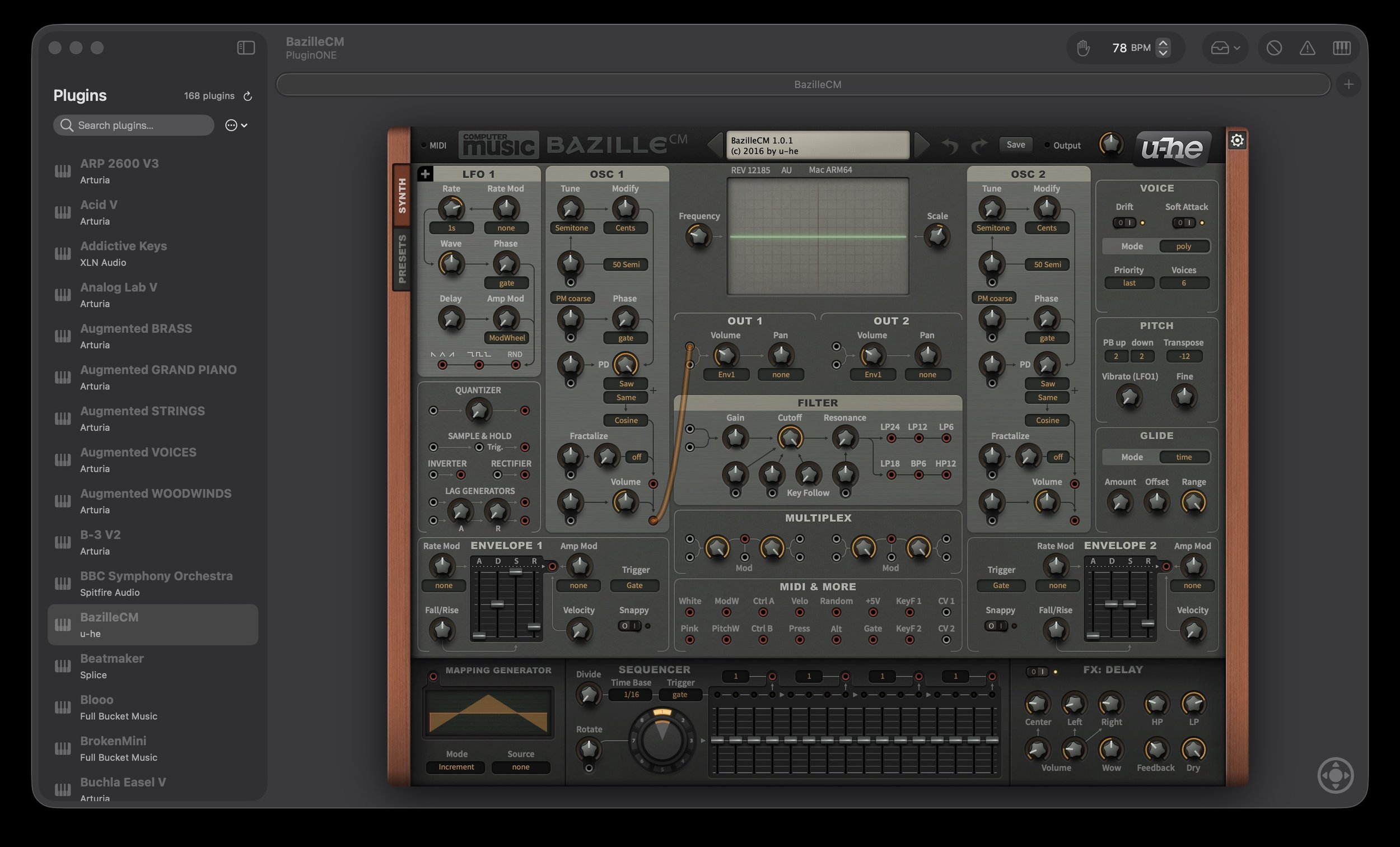
PluginONE
Play with Audio Unit Plugins